Airbnb smart locks, lockboxes and noise monitors: what to buy and what to disclose
Which lock fits which property, when a $35 lockbox is the right answer, what a noise monitor can and cannot do under Airbnb's rules, and the disclosure you owe guests.

Written by Alex P.
Founder of WonderGuest
Three devices do most of the work of running a short-term rental you are not standing in front of: a lock that gives each guest their own code, a lockbox for the day the lock fails, and a noise monitor that tells you about the party before the neighbor does. None of them is expensive. All of them come with a disclosure obligation that hosts skip and then regret.
This guide covers what to buy for which property, what each device costs to run over a year, and exactly what Airbnb requires you to write in the listing.
Self check-in: the three ways to do it
The self check-in methods Airbnb lets you pick in the listing settings are a smart lock, a keypad, a lockbox, a doorman or building staff, and "other". Guests filter on self check-in. Guests also leave a lower check-in rating when the method fails at 11 PM, so the choice is about reliability first and price second.
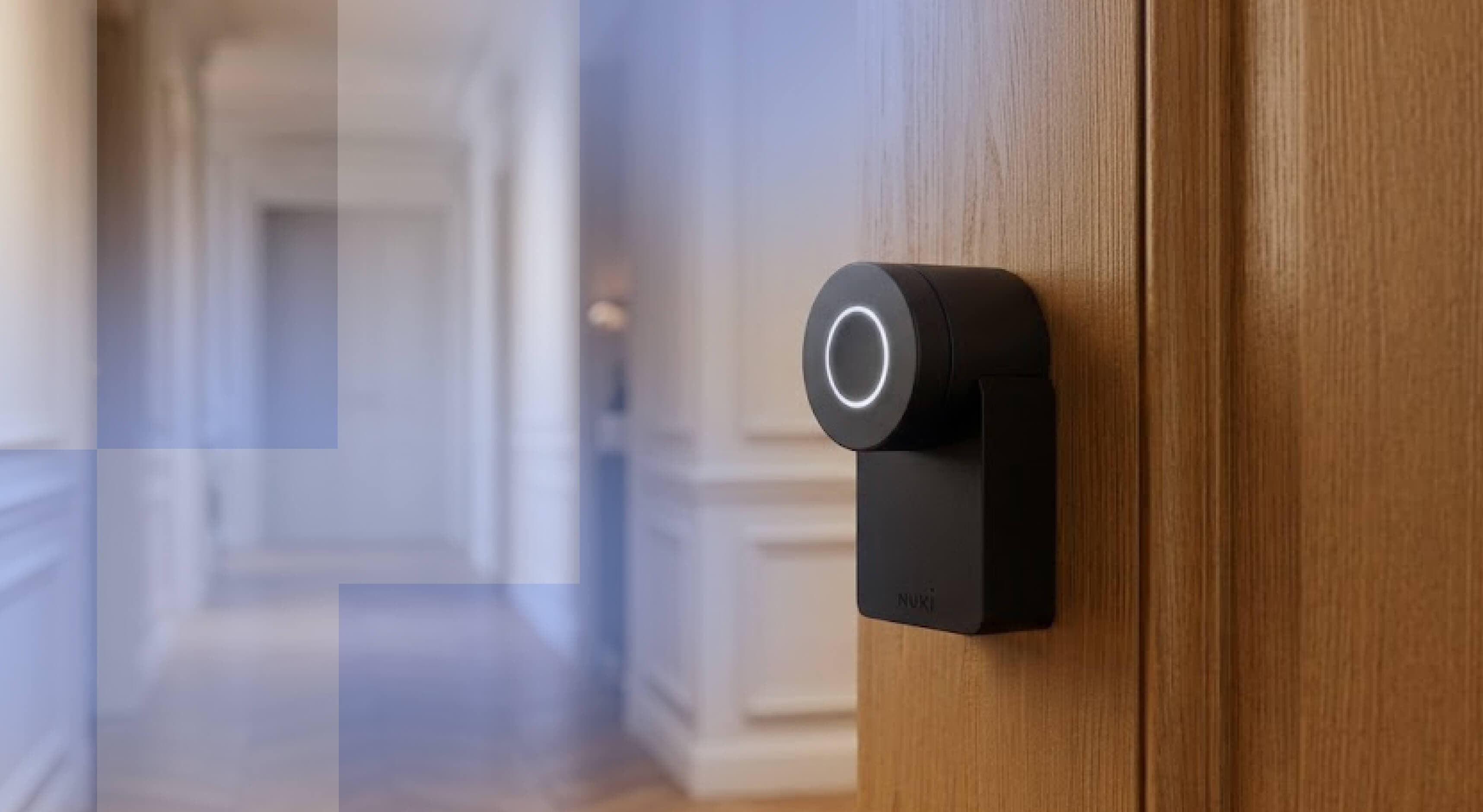
A smart lock connects to Wi-Fi or Bluetooth and lets you create a code per reservation from your phone. You can see when the door opened, revoke a code at checkout, and give the cleaner a permanent one. This is the default for any property you run remotely.
A keypad lock takes codes but does not talk to the internet. You program it at the door. It is cheaper and it never goes offline, and the price is that every code change means a visit or a cleaner who knows the procedure.
A lockbox holds a physical key behind a combination. It costs about as much as a dinner out and it works when the power is off, the Wi-Fi is down, or the battery in the smart lock died mid-stay. Even hosts with a smart lock should have one mounted somewhere discreet.
Which lock for which property
The right answer depends on the door, the building, and how far away you are.
A single-family home or a condo where you own the door: a Wi-Fi smart lock with a keypad. Schlage Encode, Yale Assure Lock 2 and August are the three names that come up in every host forum, and they cost roughly $150 to $300 depending on the finish and whether the deadbolt is included. Check that the deadbolt bore matches your door before ordering. Most US doors take a standard 2 1/8 inch bore, and the ones that do not will cost you a locksmith visit.
An apartment where the HOA or landlord controls the door: ask before you drill. Many buildings prohibit lock changes on a unit door, and some require the building's own access system. A keypad lock that replaces only the deadbolt cylinder is the usual compromise, and a lockbox mounted inside a shared entry is often prohibited, so read the rules.
A cabin, a lake house, or anywhere with weak cellular and no wired internet: a keypad lock with no connectivity at all, plus a lockbox. A smart lock that cannot reach its server is a keypad lock you paid three times the price for.
A property with a management company or co-host: whatever lock they support. If they run thirty doors on one platform, a lock outside that platform is a lock they will manage by hand, and hand-managed codes are the ones that get reused.
What it costs to run over a year
The purchase price is the smaller number. Batteries, subscriptions and replacement are the real cost.
A Wi-Fi smart lock burns through four AA batteries every three to six months depending on how often the door opens. Budget a set per quarter and a low-battery alert that goes to you, not only to the guest. Some brands push a subscription for scheduling features or for the app itself; read the plan page before you buy, because the free tier has narrowed at several manufacturers.
A keypad lock uses a fraction of that, because nothing is transmitting. One battery change a year is typical.
A lockbox costs nothing to run. Replace the combination after any stay where a guest had reason to use it, and replace the box itself if the dial gets stiff, which happens outdoors after a few winters.
Noise monitors: what they do and what Airbnb allows
A noise monitor measures decibel level and sends you an alert when the level stays above a threshold for a set time. It does not record audio and it cannot tell you what was said. That distinction is the whole legal and platform basis for using one.
Airbnb's rules on security cameras and other devices, rewritten in 2024, are short. Indoor cameras are banned entirely, whether or not they are turned on. Noise decibel monitors are allowed inside the home, never in a bedroom, bathroom or sleeping area, and only if you disclose them in the listing. Exterior cameras are allowed with disclosure of each device and its location, and cannot point at indoor spaces.
Minut and NoiseAware are the two devices most US hosts run. Both work on a hardware price plus a monthly plan per property, and both let you set quiet hours so the threshold drops at 10 PM. Place the sensor in the room where people gather, usually the living area, and not in a bedroom or bathroom, which Airbnb treats as private even for a decibel meter.
What a monitor gets you in practice is a text at 11:30 PM that says the living room has been above 75 decibels for twenty minutes. You message the guest before the neighbor calls the police, and you have a timestamped record if the house rules end up in a dispute.
The disclosure you owe, in four lines
Every device that observes a guest has to be disclosed before booking. Airbnb's rule is disclosure in the listing description, and the cleanest place is a short block in your listing's "Other things to note" section. Write it plainly:
- Self check-in via smart lock. Your unique code arrives 24 hours before arrival.
- A noise decibel monitor is installed in the living room. It measures sound levels only and does not record audio.
- One exterior camera covers the front door and driveway. No cameras inside.
- Quiet hours 10 PM to 8 AM, enforced by the monitor and the HOA.
Repeat the same four lines in your digital guidebook, where guests read them again after arrival. A guest who was told twice cannot claim surprise, and a claim of surprise is the argument that wins undisclosed-device disputes on the platform.
Setting up the code workflow
The lock is only as good as the routine around it.
Generate a fresh code per reservation and make it expire at checkout time. Most smart locks do this from the app or through a PMS integration. Never reuse the last four digits of the guest's phone number, which is the default some hosts fall into and which any former guest can guess for the next one.
Give cleaners and maintenance their own permanent codes, and delete a code the day someone stops working for you. Keep a master code offline, written down, in the lockbox.
Send the code with the check-in instructions the day before arrival, and include the lockbox location and combination as the fallback in the same message. The guest who cannot get in at midnight should not need to reach you to find out there is a plan B.
Frequently asked questions
Can I install a camera inside my Airbnb?
No. Since April 30, 2024, Airbnb bans all indoor cameras, including in shared spaces and including cameras that are switched off. Exterior cameras and doorbell cameras are allowed if you disclose them in the listing and they do not point at indoor areas.
Are noise monitors allowed on Airbnb?
Yes, inside the home, as long as the device measures decibel level only and is disclosed in the listing. Bedrooms, bathrooms and sleeping areas are off limits even for a decibel meter, under Airbnb's rules on security devices.
Do I need a smart lock or is a lockbox enough?
A lockbox is enough for a property you can reach quickly and turn over yourself. A smart lock earns its price the first time you need to change a code from another city. Most remote hosts run both: the smart lock as the primary method and a lockbox as the backup.
What happens when the smart lock battery dies during a stay?
The keypad usually gives a low-battery warning for weeks first. If it dies anyway, most models accept a 9-volt battery held against contacts on the outside, and all of them have a physical keyway. That physical key is why the lockbox exists.
Should I tell guests about the noise monitor?
You have to. Airbnb requires disclosure of noise decibel monitors in the listing, and a monitor a guest did not know about turns a noise complaint into a privacy complaint. A one-line disclosure in the listing and a repeat in the guidebook cover you.
Can my HOA stop me from installing a smart lock?
Often yes, on the unit's exterior door. Many associations control the door hardware and some require their own access system. Check the covenants before buying, and check whether a lockbox in a common area is allowed, which it frequently is not.
Do smart locks work without Wi-Fi?
Codes already stored on the lock keep working when the internet is down. What stops is remote management: you cannot create or revoke a code until the lock reconnects. In a property with unreliable internet, a plain keypad lock plus a lockbox is the more honest setup.
Alex P.
Founder of WonderGuest
I built the guest-experience tools for the FlexyLoc concierge service (digital guidebooks, interactive guides and videos) before launching WonderGuest. I write here about automating the guest experience in short-term rentals.
More about the author →A WiFi QR code is great.
A complete digital guidebook is even better.
Reduce guest messages and boost your 5-star reviews on Airbnb by centralizing all your property information in one place.
In 2 minutes with your Airbnb listing
Similar articles

Airbnb guidebook: what it covers, and the four things it leaves out
Airbnb guidebooks cover the neighborhood, not your property. The four things the feature leaves out, and where each one actually belongs.

Airbnb checkout instructions: what to ask, and what guests actually do
Airbnb makes your checkout instructions visible before booking. The five requests worth making, the ones that cost you a review, and a message to copy.

Airbnb Superhost requirements: the four numbers, and how hosts lose the badge
Airbnb Superhost requirements are checked every quarter over the trailing twelve months. The 4.8 rating is the easy part. Most hosts lose the badge elsewhere.